Features

What’s in the beta.

Every line carries a status. In the beta is in the app now. In progress is being built. Coming next is designed and scheduled.

01 In the beta

Everyone gets their own trip.

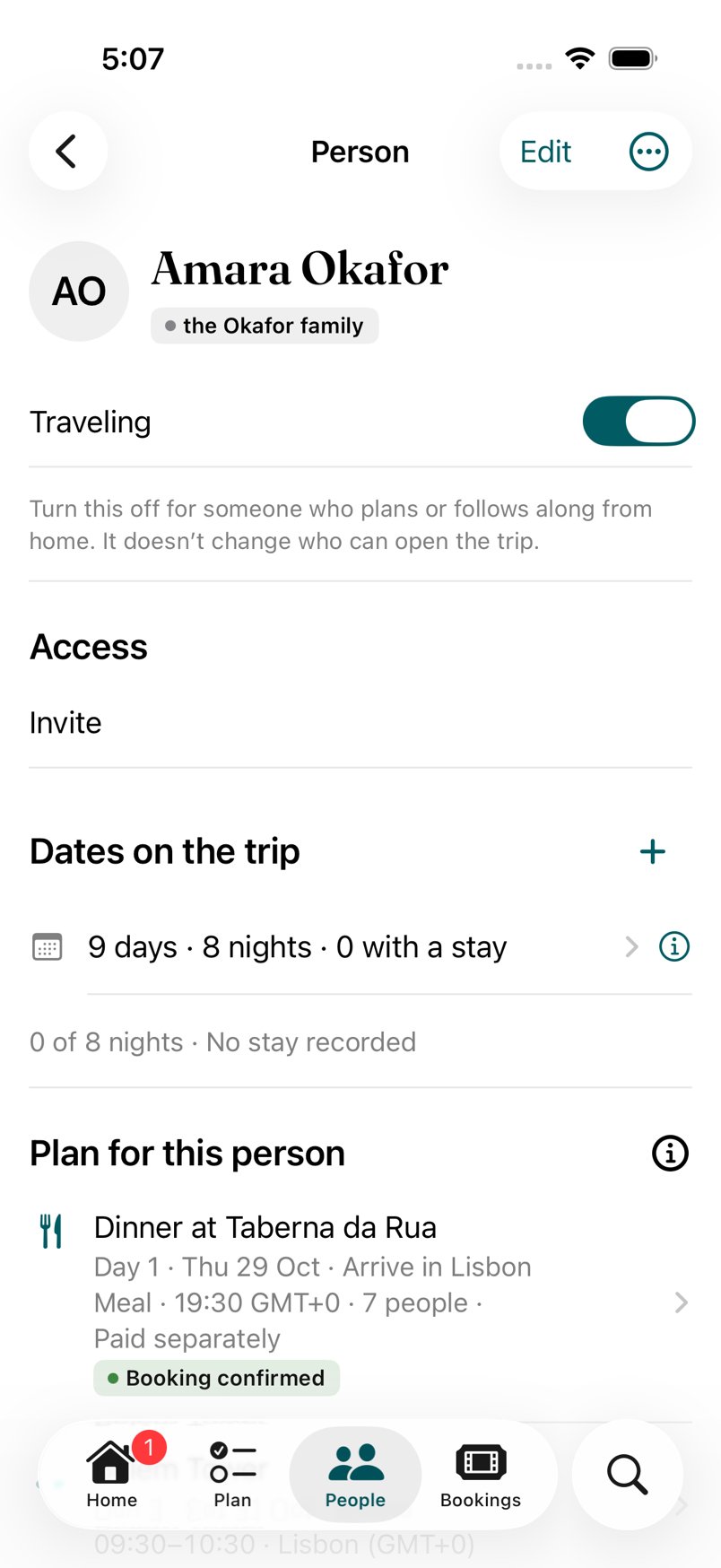
  • A person can be on the trip without an account. Grandparents, teenagers, the friend who won’t install anything.
  • Dates are per person. Arrive Tuesday and Tuesday onward is yours.
  • Groups overlap however the trip does, and a Group never grants access on its own.
  • Home says who is here today and where everyone sleeps tonight. A booking carries who is on it and the party size.
  • Five roles, from Organizer to Viewer, so the people who help can edit and the people who just need today can’t break anything. Confirmation codes can be hidden from the roles that don’t need them.
Add everyone in step two

A Person screen: Traveling, Access, and Dates on the trip of 9 days and 8 nights
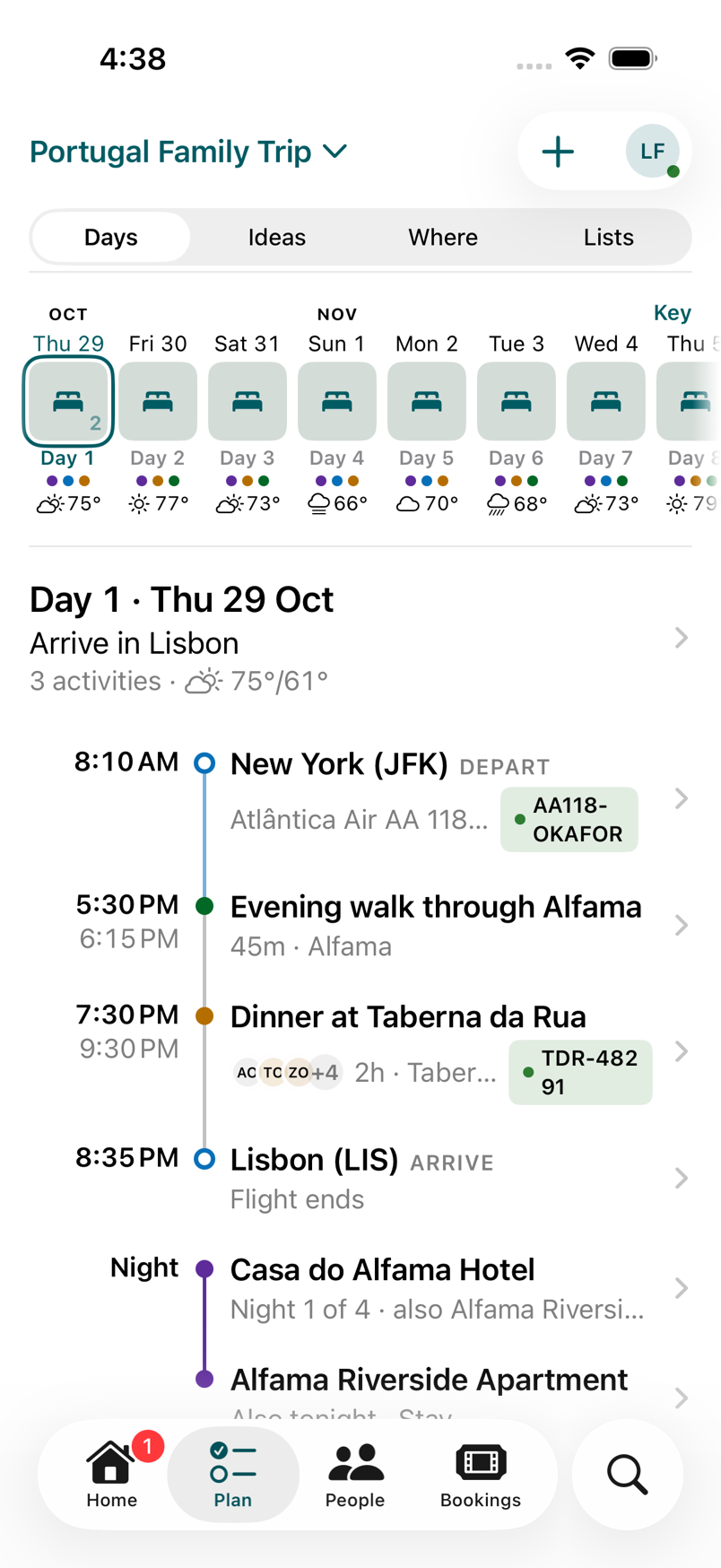
Plan, Days: the Day strip with a forecast on each day, then Day 1, Arrive in Lisbon

02 In the beta

It works on the ferry.

  • The trip stays on your phone for 30 days with no connection, and opens cold from what was saved.
  • Offline edits wait on the phone and go out when you’re back. Your change to the time and someone else’s change to the place both survive; nobody’s change silently overwrites another’s.
  • An editor you have open adopts someone else’s change with a note and a choice: keep mine, or use theirs.
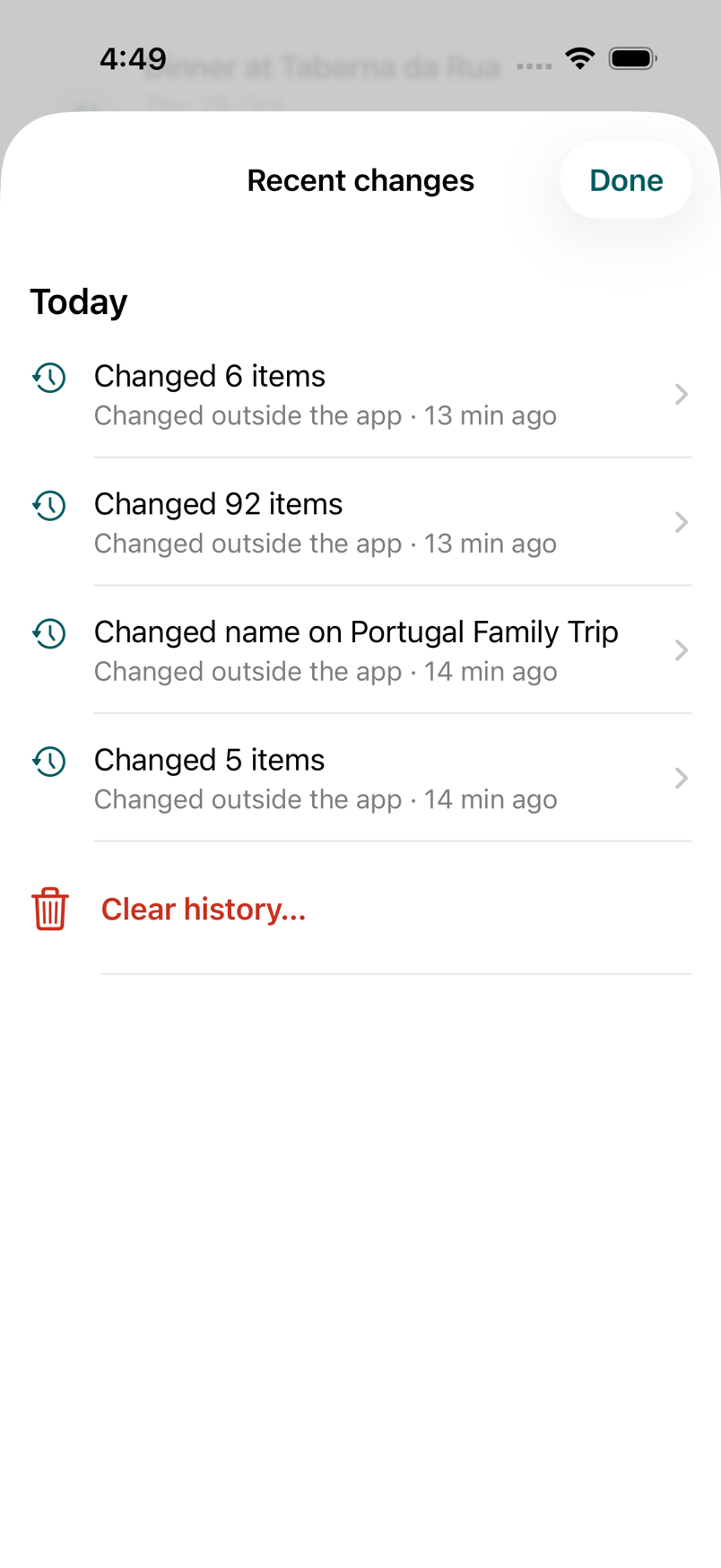
  • Recent changes shows before and after, who did it, and Undo and Redo for 30 days.
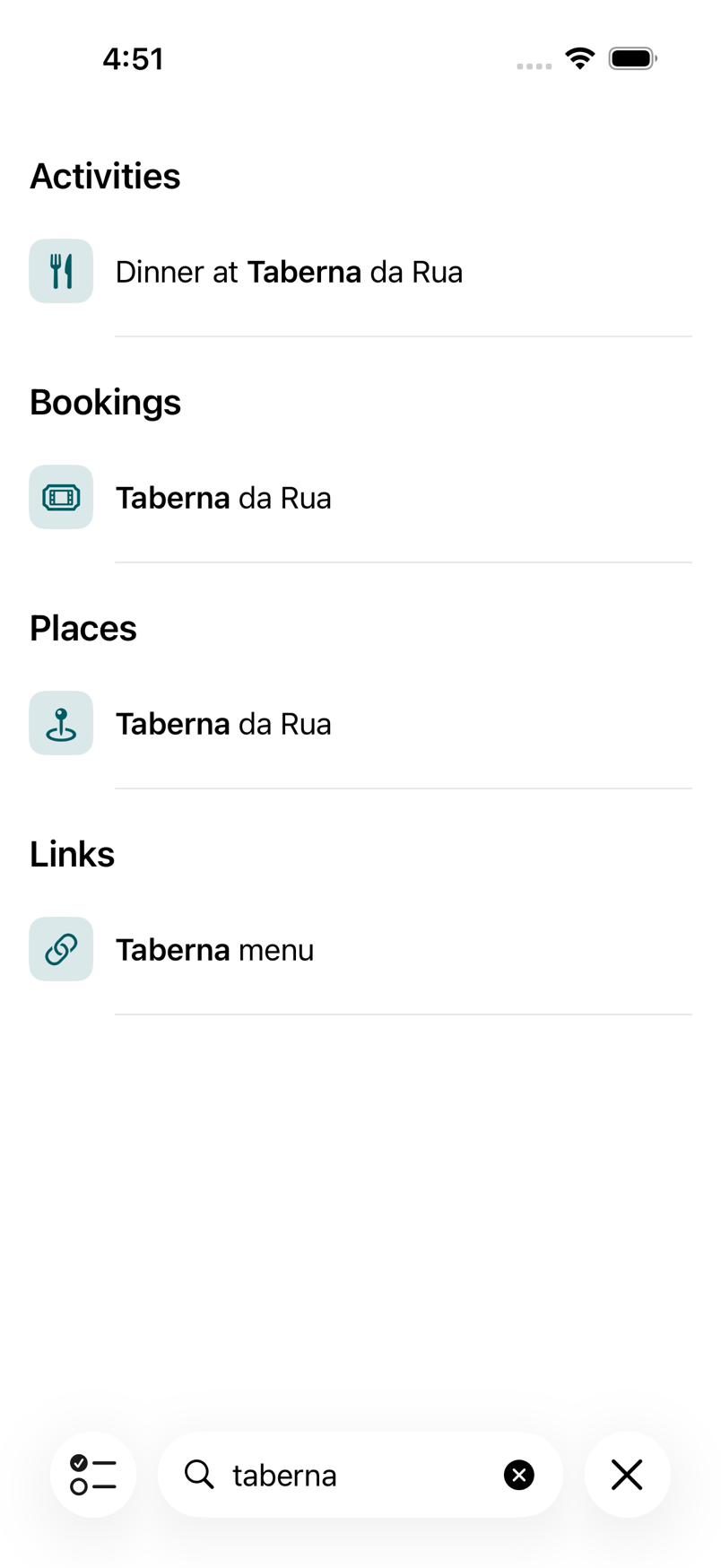
  • Search runs on the phone. Ask “when does our ferry leave” and get the answer, with the rows underneath.

Offline, in the FAQ

Recent changes: the day’s changes, each with how many items it touched
Search results for taberna, grouped into Activities, Bookings, Places and Links
A traveller on a station platform with a small suitcase, glancing at her phone before the train

03 In the beta

Private to your group.

  • No ads. Your data is never sold. Trips are visible only to the people you put on them.
  • The AI that suggests fixes never sees names, booking codes, dates, links or the trip’s name; they’re removed before anything leaves, and text that can’t be cleaned isn’t sent.
  • Search, reading your documents and natural-language answers happen on the phone.
  • Photo locations are rounded to about a hundred metres before upload; the server refuses anything more precise.
  • Delete your account from Settings with a 7-day grace period. Export everything first.

The table of what leaves your phone

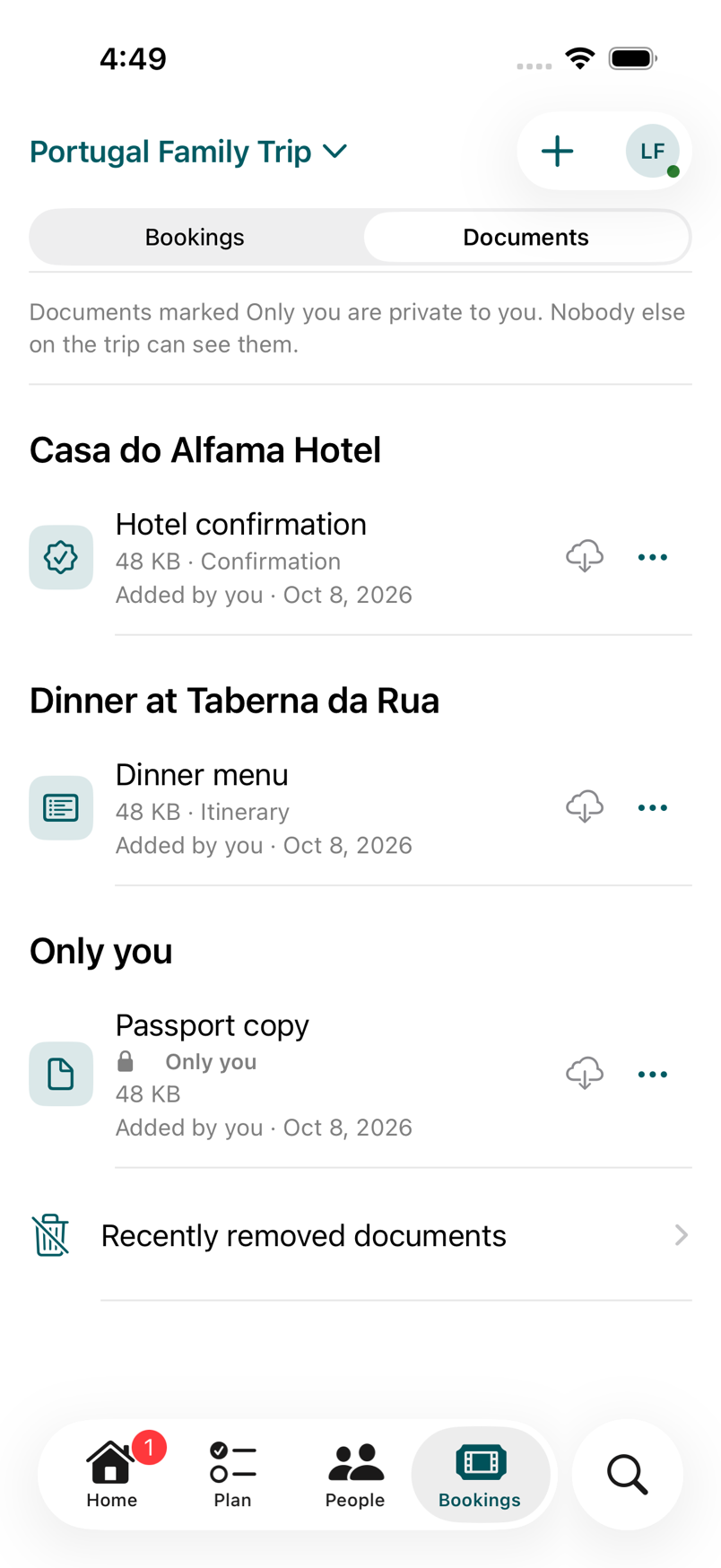
The trip’s documents: a hotel confirmation and a dinner menu for everyone, and a passport copy marked Only you

04 In the beta

Night trains and port calls, on one line.

  • A move departs here and arrives there. Layovers, all-aboard times and port calls sit on the line where they happen.
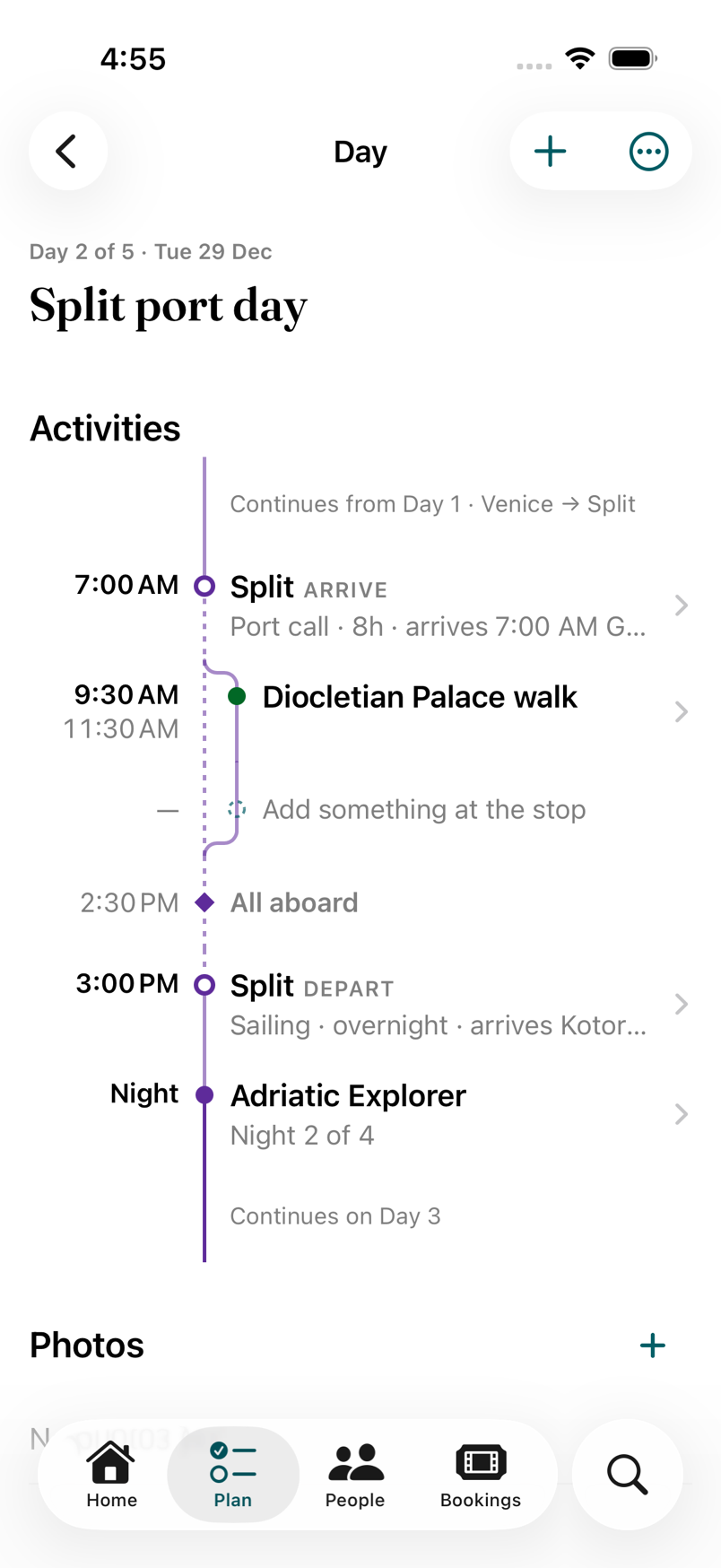
  • A cruise day shows the ship continuing from yesterday and on to tomorrow. A night train crosses midnight without losing its place.
  • Every booking carries when, where, who, money, documents and links.
  • Tickets and confirmations come in through the share sheet, Open In (PDFs, calendar invites, Wallet boarding passes), From Calendar, and Siri and Shortcuts.
  • Ideas hold what isn’t on a day yet. A shared link or a map place becomes an Idea.

Every way your trip gets in

A cruise Day titled Split port day: continues from Day 1, a port call, a walk, all aboard, the night at sea
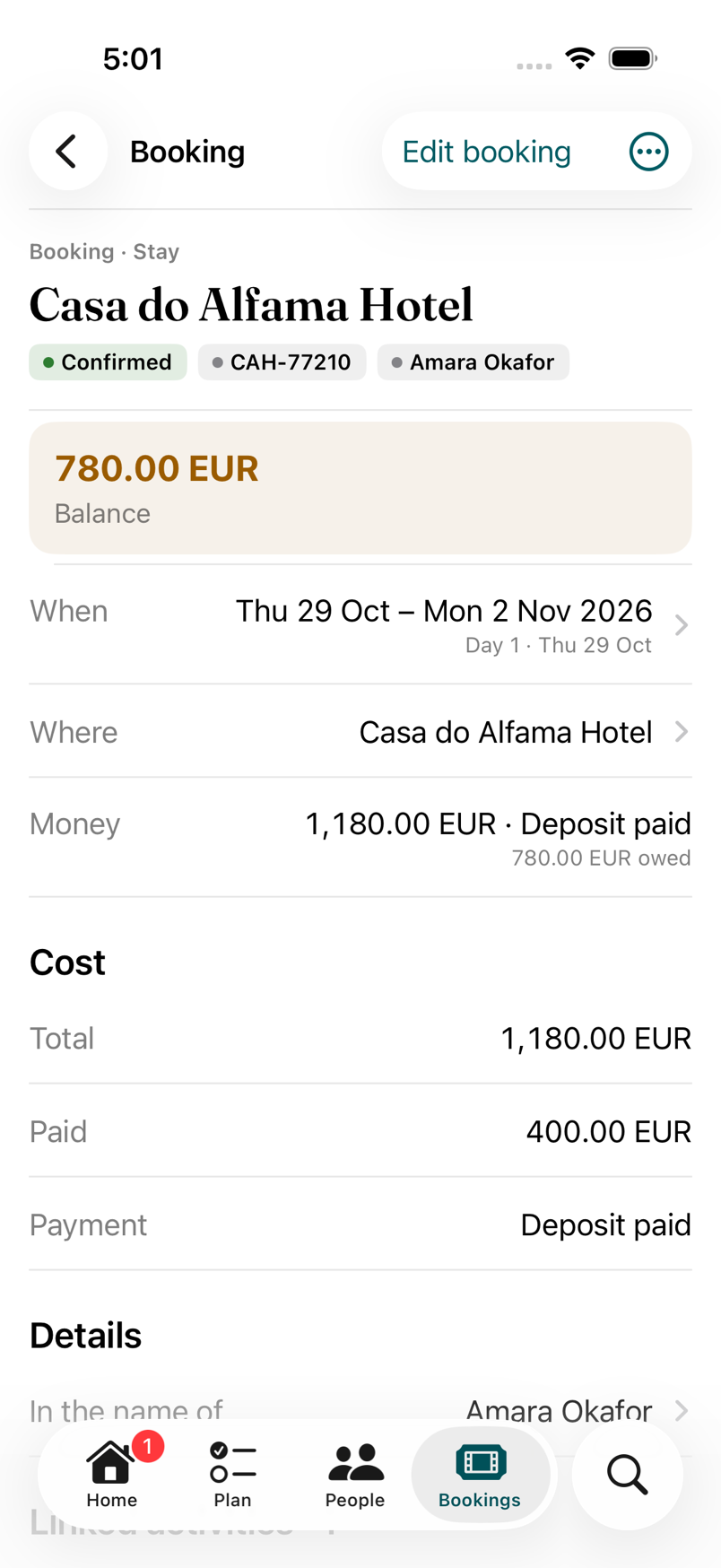
A Booking for Casa do Alfama Hotel with its confirmation code, dates, money paid and the balance due

05 In the beta

An assistant that asks first.

  • Connect Claude Desktop or Claude Code with a key you make in Settings and can revoke any time.
  • It acts with your own role and nothing more. A Viewer’s assistant reads; an Organizer’s plans.
  • It shows a preview before it changes anything. You confirm. The change is written once.
  • Every assistant change is labelled “via Claude” in Recent changes and undoable like any other.

Verified with Claude Desktop and Claude Code. ChatGPT is next, listed once we’ve verified it end to end.

Also in the beta.

Put it to a vote In the beta
Pick one, a first and second choice, or yes or no, on any Ideas. Everyone on the trip can vote; the result is counted; Plan it puts the winner on the day.
Lists that know who’s on the trip In the beta
Packing lists and to-dos for everyone, a group or one person; ticked per person or once for all; templates you keep between trips; due dates that follow a booking.
One Inbox In the beta
Suggestions, duplicates, shared items, saved links and invitations in one “To review” place, each with accept or dismiss.
Duplicates review In the beta
Two “Time Out Market” places? Faring notices and offers a merge, for places, people, bookings and activities.
Home for now In the beta
Before the trip: deadlines and what’s still to pay. During: Next, Tonight and People today. After: the plan as it happened, kept.
Shake to report In the beta
Shake the phone, mark up the screenshot, send. It reaches the people who build Faring, not a queue.
Dark mode In the beta
A warm near-black, on every screen.
Who brings what In the beta
A name and a quantity on each list item, so the cooler and the two car seats are someone’s, and a view of who’s bringing what.
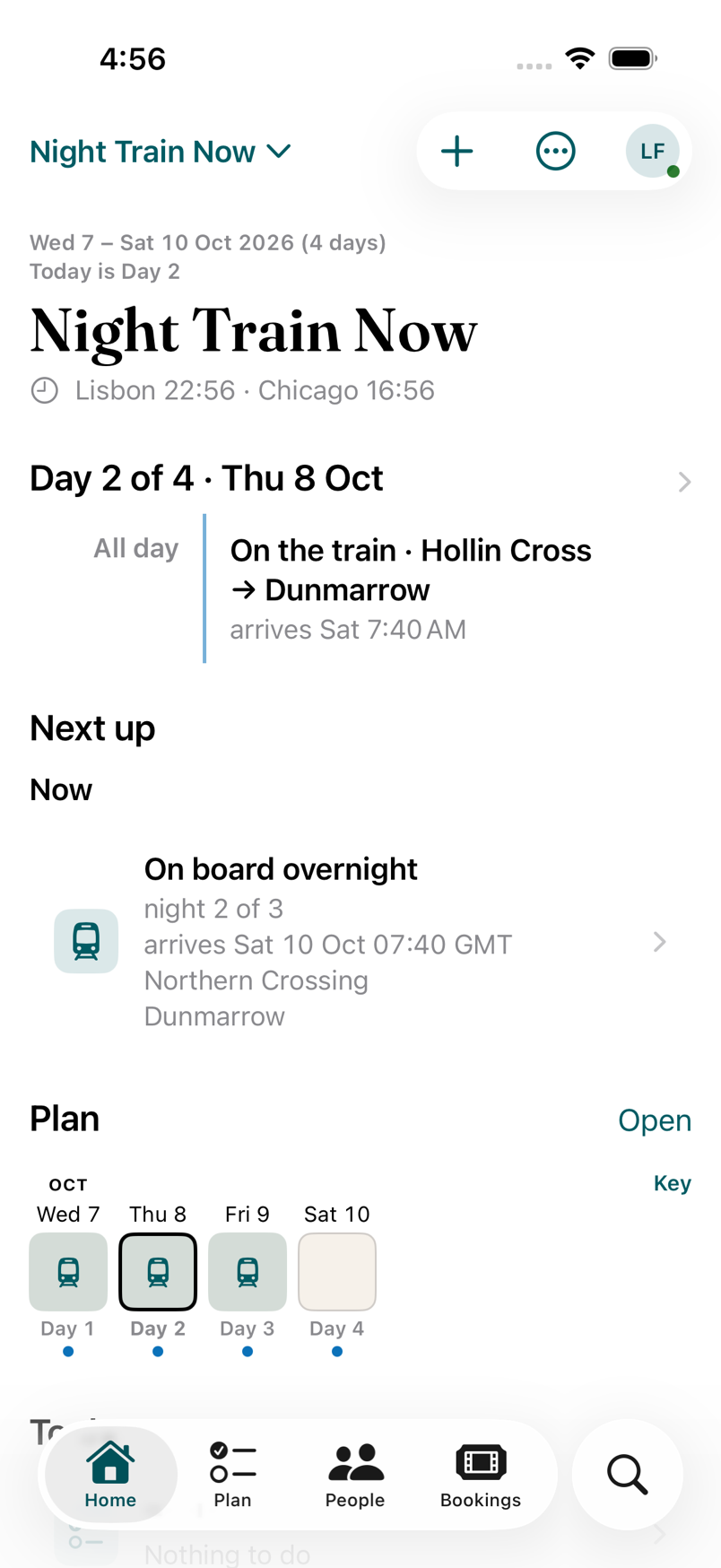
Home during a trip called Night Train Now: Day 2 of 4, Next up is the train, then On board overnight
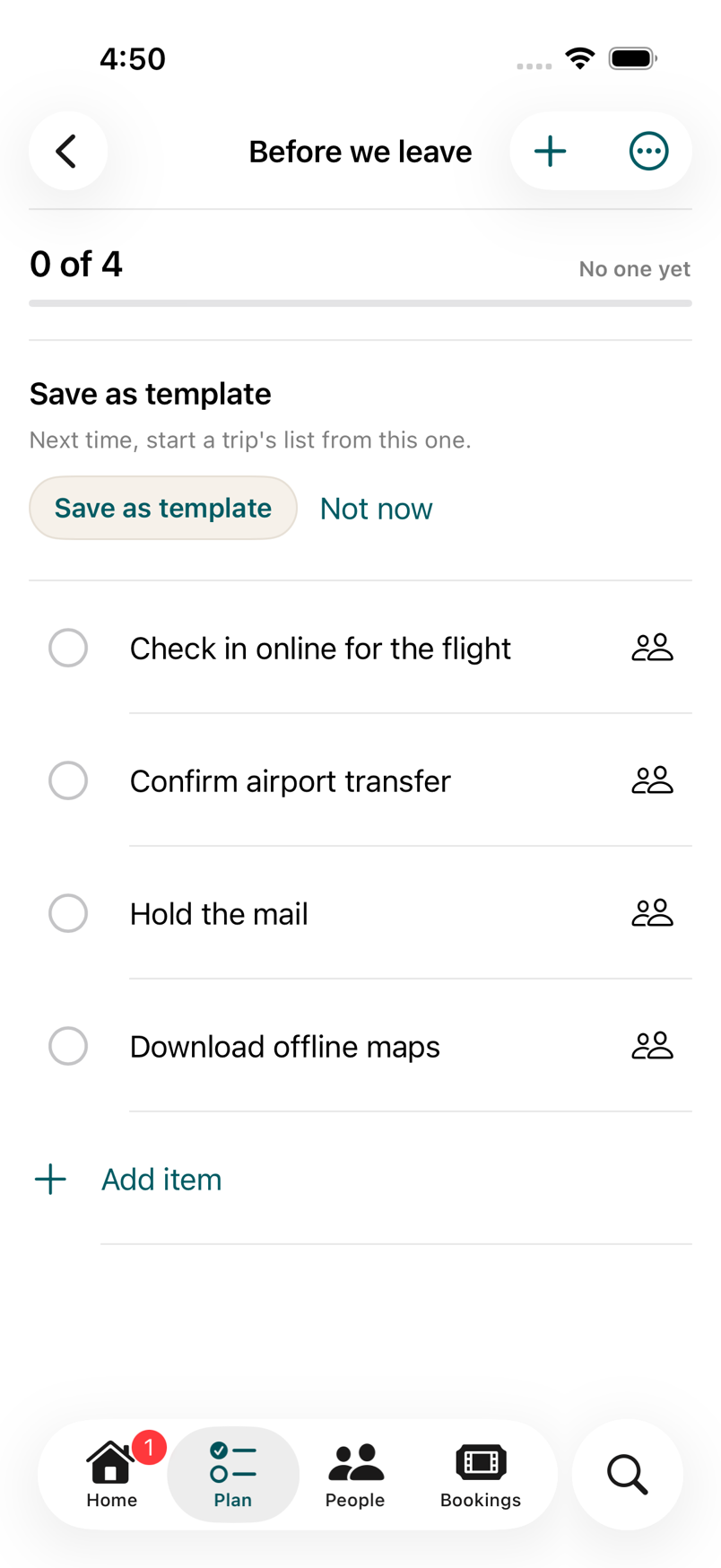
A list called Before we leave with four items, each tickable per person
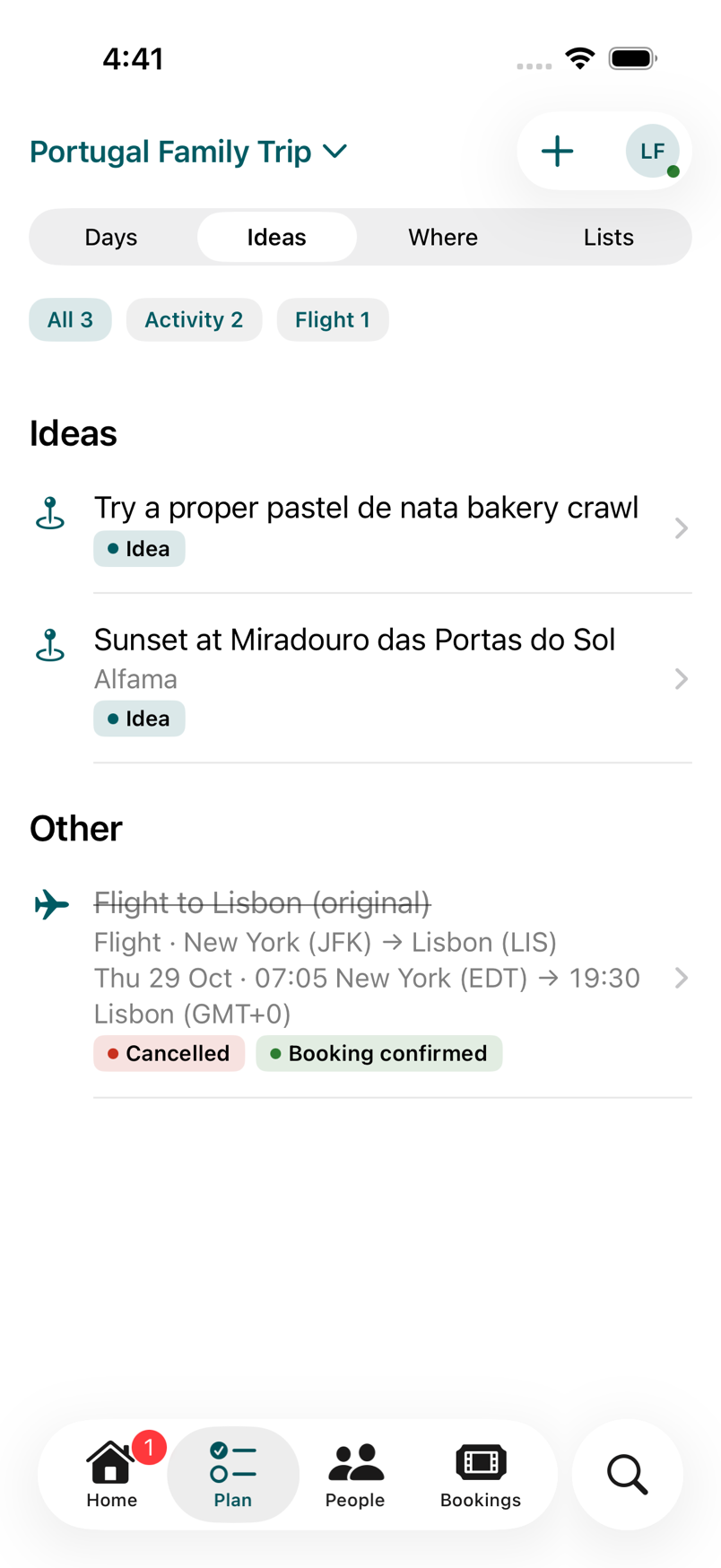
Plan, Ideas: a pastel de nata bakery crawl and a sunset viewpoint, plus a cancelled flight under Other
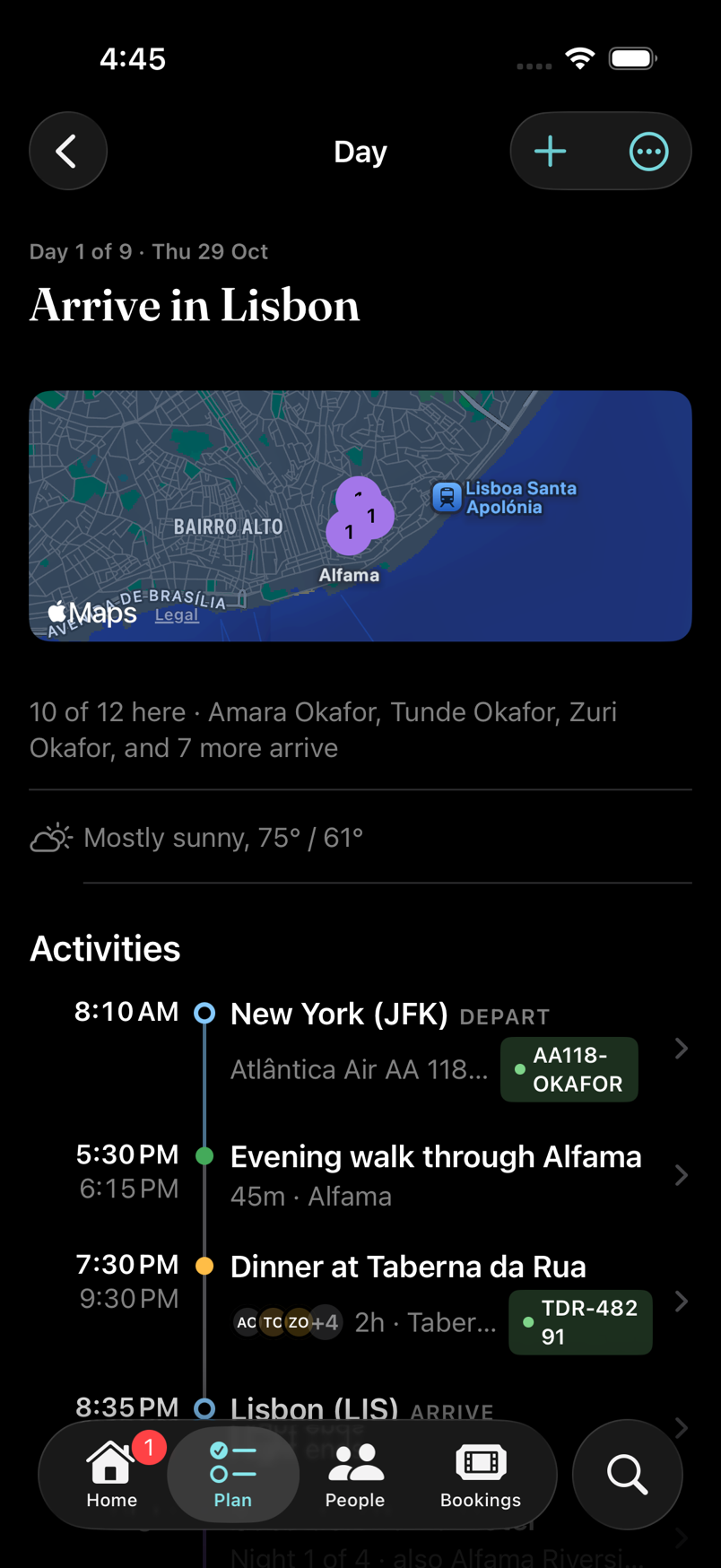
A Day screen in dark mode: Arrive in Lisbon, with the flight, an evening walk and dinner

Coming next.

Only work that is designed and on the plan. When one lands, it moves up this page with its status changed.

  • Forward your booking emails. A Faring address that turns confirmations into draft bookings for you to review.
  • A read-only way to share the plan. So the people without an iPhone still see today.

TestFlight waitlist

Bring one real trip.

Faring is in a private beta on iPhone. We let people in a few at a time, each with a real trip, because that’s how we find out what’s wrong.

Free while it’s in beta, for you and everyone you invite. What free means, and for how long.

We email you a link to confirm. We write back when there’s a place.

Join the waitlist

Opens an email in your mail app. We write back when there’s a place.