How it works

Set up in an evening.

The whole job for the one who organizes, in four steps.

Two sisters at a small hotel balcony table in the morning, one turning her phone toward the other, coffee and a notebook between them

1

Start a trip.

Name it, give it dates, then get the bookings in, whichever way is nearest:

  • From Calendar. Faring reads the events between the trip’s dates, only while you have the picker open, and you choose which become bookings.
  • From the share sheet. Share a confirmation email, a PDF or a web page from any app. Faring reads what it can on the phone and fills in the booking for you to check.
  • By hand. A stay, a move, a meal or an activity, with a reference, a place and who’s on it.

All seven ways in

Forwarding booking emails to a Faring address is designed and coming next. It is not in the beta.
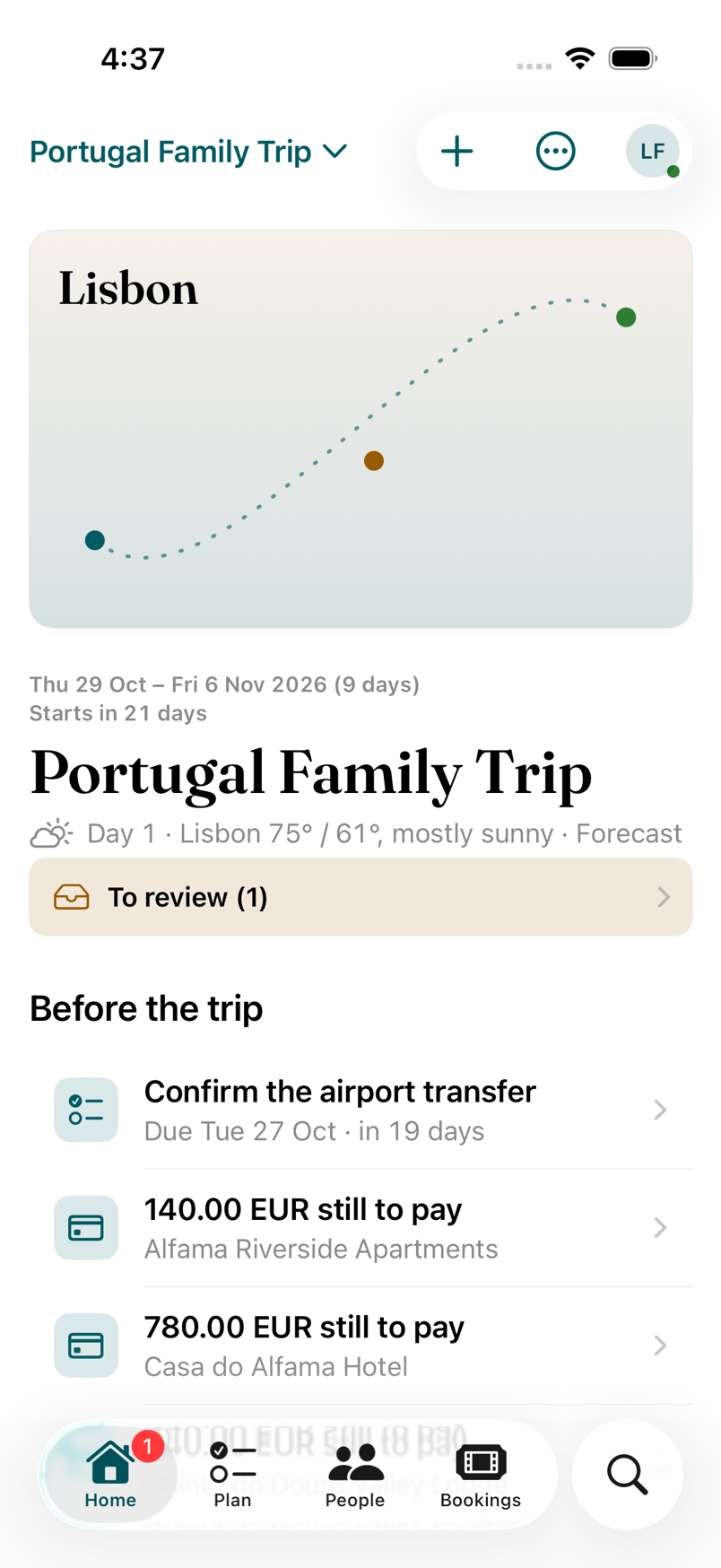
Home before a trip: a Lisbon hero card, the trip’s dates, deadlines and what’s still to pay

2

Add everyone. No accounts needed.

Everyone who’s on the trip goes on the People tab, whether or not they’ll ever open Faring. Give each person their dates: Nana comes for the middle weekend, the cousins leave a day early. Put people in Groups that overlap however the trip does.

A booking knows who’s on it. Home knows who’s here today.

Four kinds of group, with examples

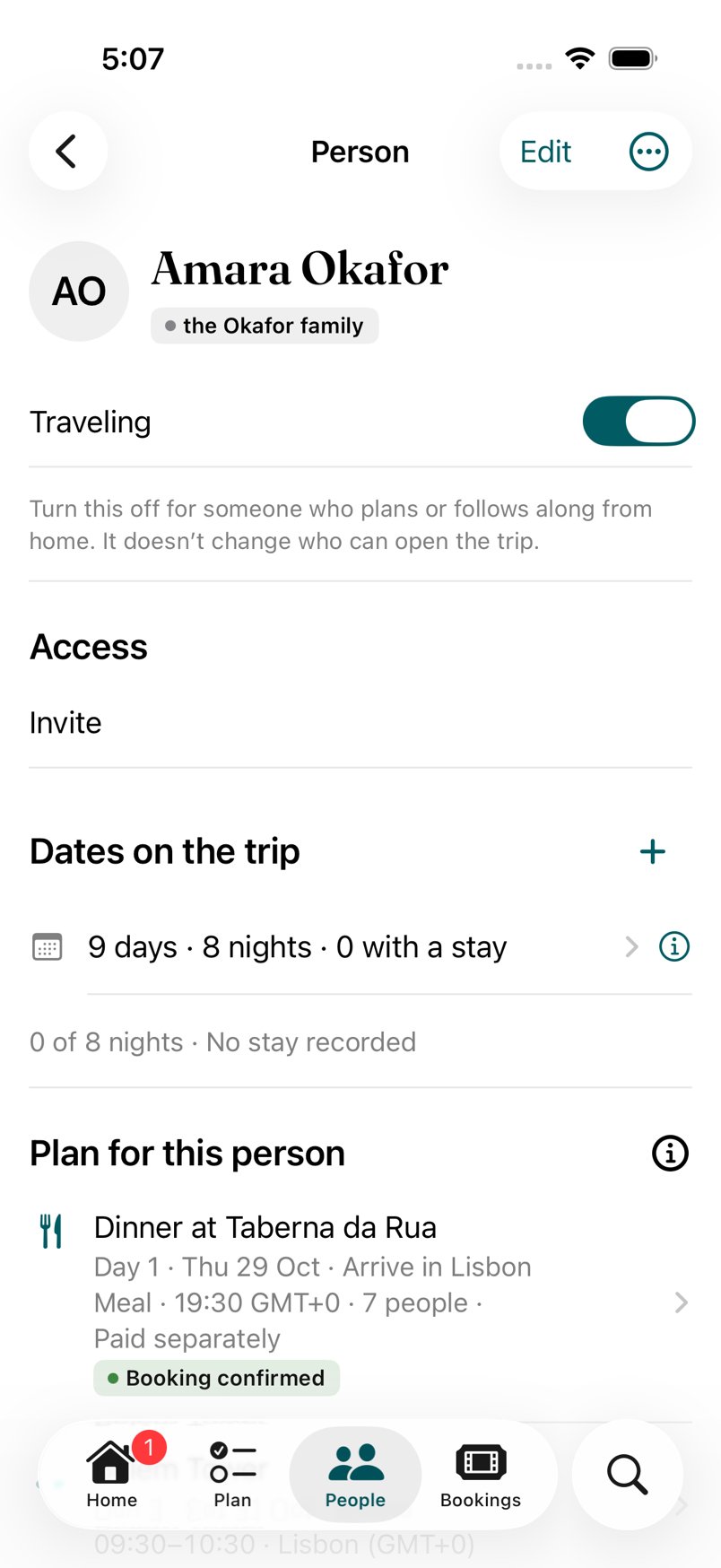
A Person screen: Traveling on, Access, Dates on the trip, and their plan for today

3

Invite who should edit.

Send an invitation from the app, in Messages or Mail. The person joins with their own account and the role you chose:

  • Co-organizer edits everything and invites people.
  • Planner edits the plan.
  • Contributor adds their own flights, ideas and to-dos.
  • Viewer sees today’s plan and nothing they shouldn’t.

Invitations and roles, in the FAQ

Invitations are sent from the app today; a link that works without the app is coming next.

4

Travel with Today.

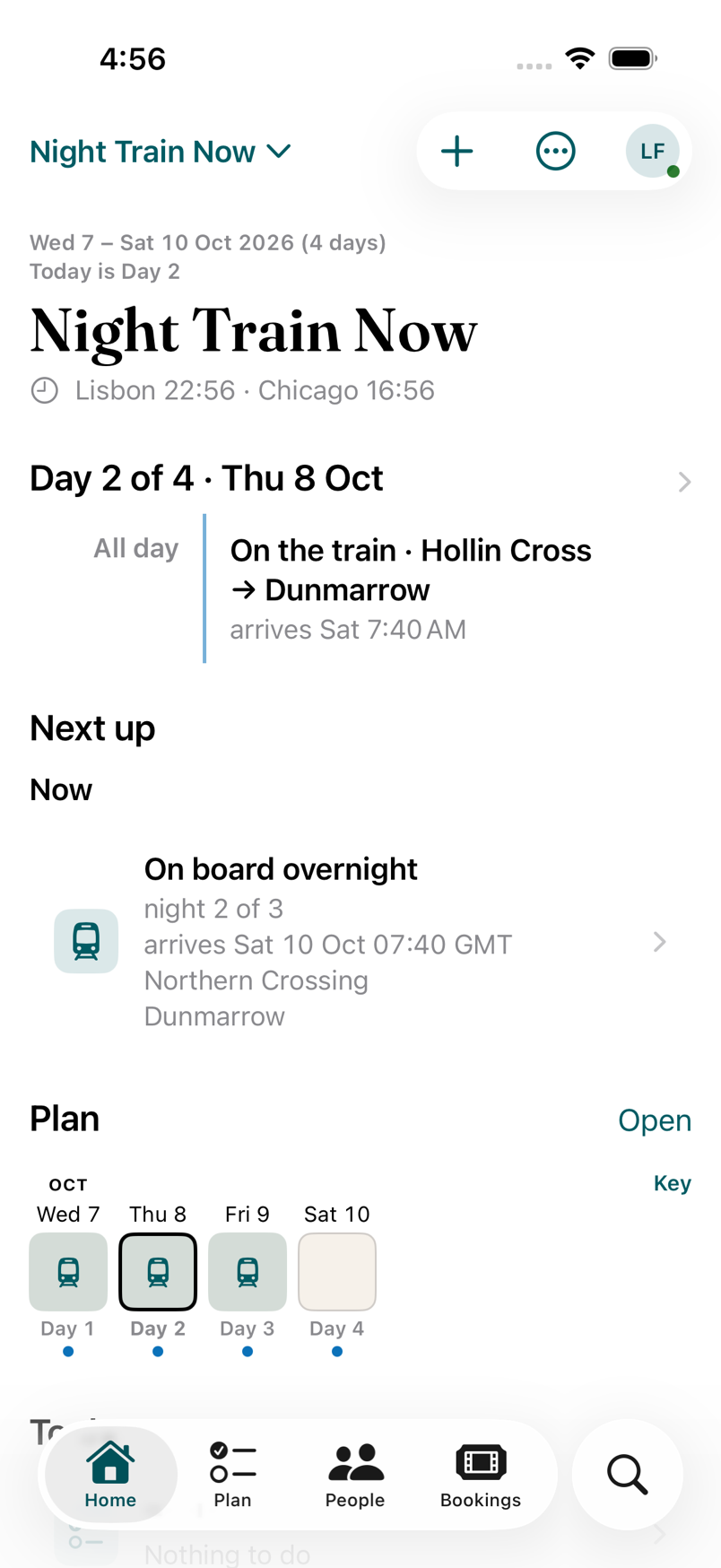
Home changes with the trip. Once you’re travelling it leads with what’s next, where you sleep tonight and who’s here today. A Day shows the route: the train, its two ends, the free time between.

It keeps working with no signal. If someone moved dinner while you were in the tunnel, Recent changes shows it, and Undo is there for 30 days.

Home on the second day of a trip: Next up is the train, then On board overnight

TestFlight waitlist

Bring one real trip.

Faring is in a private beta on iPhone. We let people in a few at a time, each with a real trip, because that’s how we find out what’s wrong.

Free while it’s in beta, for you and everyone you invite. What free means, and for how long.

We email you a link to confirm. We write back when there’s a place.

Join the waitlist

Opens an email in your mail app. We write back when there’s a place.